
Do you ever wake up feeling groggy, even after what should have been “enough” sleep? You’re not alone. The secret to waking up energized isn’t just about how long you sleep — it’s about when you sleep. That’s exactly where SleepyClock comes in.
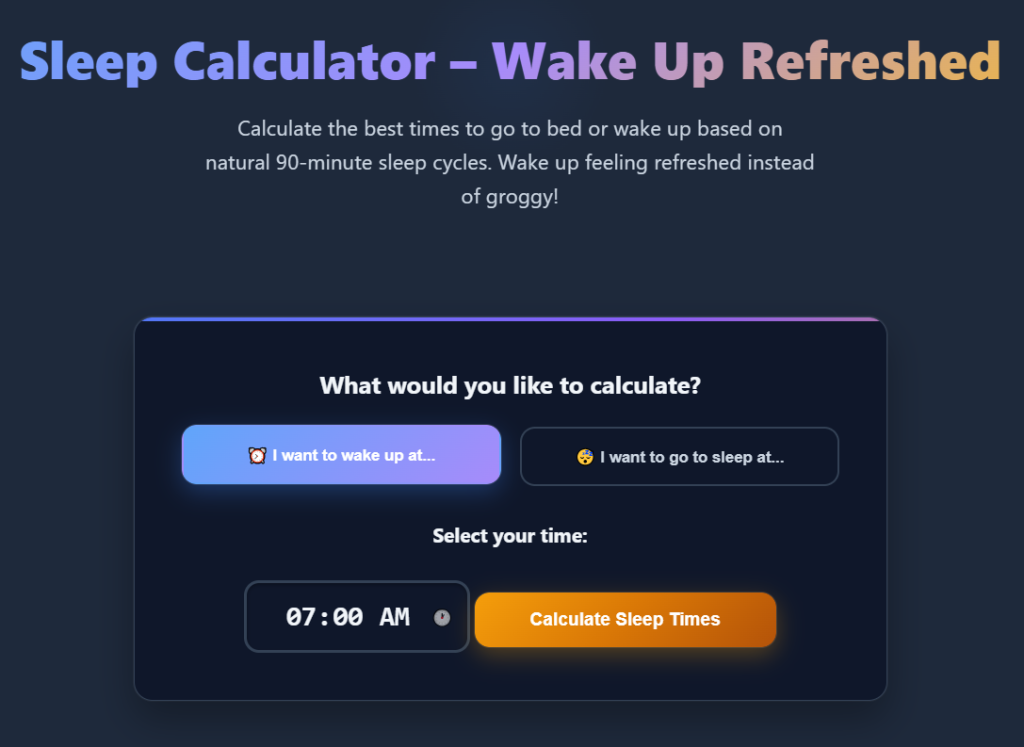
This free online sleep calculator is designed to help you discover the best bedtimes and wake-up times based on your body’s natural 90-minute sleep cycles. Instead of waking up mid-cycle (and battling heavy grogginess), SleepyClock helps you rise at the end of a cycle, so you feel refreshed and ready to tackle the day.
🕒 Why Sleep Timing Matters More Than You Think
Most people assume that sleeping for 7–9 hours is all it takes to feel rested. But here’s the catch:
- If your alarm goes off in the middle of a deep sleep phase, you’re likely to feel sluggish and disoriented.
- By aligning your sleep with complete 90-minute sleep cycles, you wake up during lighter stages of sleep — feeling far more alert.
Example:
If you want to wake up at 7:00 AM, SleepyClock might recommend these bedtimes:
- 9:45 PM (6 cycles – 9 hours) ✅ Best for deep restoration
- 11:15 PM (5 cycles – 7.5 hours) ✅ Optimal for most adults
- 12:45 AM (4 cycles – 6 hours) 🚫 Minimum recommended
These calculated times account for the 15–20 minutes it usually takes to fall asleep, giving you accurate, practical results.
🌙 How SleepyClock Works
- Choose your goal: Select whether you want to calculate the best time to go to bed or wake up.
- Enter your time: Pick your desired bedtime or wake-up time.
- Get personalized results: SleepyClock generates the best options based on 90-minute cycles — complete with recommendations.
👉 Try it now: Use the SleepyClock calculator
✅ Benefits of Using SleepyClock
- Wake up refreshed: Avoid grogginess by ending sleep at the right stage.
- Boost cognitive performance: Better memory, focus, and problem-solving skills.
- Improve mood & energy: No more morning crankiness or midday crashes.
- Support immune health: Proper sleep strengthens your body’s defenses.
- Optimize productivity: Start your day clear-headed and motivated.
🌱 Expert Sleep Tips for Maximum Results
Using SleepyClock is just the first step. To truly maximize your rest, pair it with these science-backed sleep habits:
- Stick to a schedule: Go to bed and wake up at the same time daily — even on weekends.
- Create a bedtime ritual: Read, meditate, or stretch before bed. Avoid screens for at least an hour.
- Perfect your environment: Keep your room cool (65–68°F), dark, and quiet. Use blackout curtains or a white noise machine if needed.
- Limit stimulants: Avoid caffeine or heavy meals late at night.
- Try naps wisely: Short (20 min) or full-cycle (90 min) naps work best.
❓ Frequently Asked Questions
1. How much sleep do I need per night?
Most adults thrive on 7–9 hours (5–6 sleep cycles). Teens need more (8–10 hours), while older adults often need 7–8 hours.
2. Why do I feel groggy when I wake up?
You likely woke up mid-cycle, especially during deep sleep (N3). This causes “sleep inertia,” which SleepyClock helps you avoid.
3. Can I use SleepyClock for naps?
Yes! Aim for a 20-minute power nap or a 90-minute full cycle nap for best results.
4. How long does it take to fall asleep?
Most people fall asleep in 15–20 minutes. SleepyClock automatically factors this into its calculations.
5. Should I use SleepyClock every night?
It’s best for creating and maintaining a consistent sleep schedule. Over time, your body will naturally adjust to the rhythm.
🚀 Start Sleeping Smarter Tonight
Don’t leave your rest — and your energy levels — to chance. With SleepyClock, you can finally master the science of sleep and wake up ready to conquer the day.
👉 Try the free calculator now: SleepyClock – Calculate Your Perfect Sleep Schedule
Your mornings will never be the same again. 🌙✨